Agents are taking over more and more of the upkeep on knowledge bases: clearing out expired campaign notes, deleting rules that a newer version replaced, tidying up files that got uploaded twice. This kind of work usually runs in batches when nobody’s watching, and agents make mistakes (AI is made by people, and people get things wrong, so AI does too). Pick the wrong ID, or get a loop condition wrong, and you can delete a document that’s still in use.
When a delete goes wrong, the storage doesn’t raise an error. The agent keeps working. Every answer from then on is missing that piece, and what’s left can point the agent the wrong way. What you want is that one document back, on its own, without rolling the whole database back to last night’s backup and losing everyone else’s writes from that day (DBAs will recognize this: it’s a lot like Oracle Flashback).
What happens when an AI agent deletes a document from the knowledge base
Here’s an example with a customer support knowledge base. The namespace holds 5 documents, and two of them are refund policies. The current one says refunds to a bank card take 3 to 5 business days. The 2024 version says 7 to 10 business days, and its title says it’s retired.
Every document gets a document ID when it’s written. List the documents in the namespace and you can see which ID goes with which file name:
documents:
  01M6J974Z0EDVXW3J95CM1VT80  invoices.md
  01M6J975ZW2CKGDN031MNWNEYA  loyalty-points.md
  01M6J976H5RJRFXAJCQW3V53VT  refund-policy-2024.md
  01M6J9772F2TC8PWWWZ8RR18Y1  refund-policy.md
  01M6J977KREHJG0A34FDV4J8ST  shipping.md
Before the delete, we ask, “How long does a refund take?” The current policy comes first and the old version second:
before the delete:
  1  refund-policy.md         rerank_score=0.9866  How long a refund takes: the money goes back to ...
  2  refund-policy-2024.md    rerank_score=0.7770  The money goes back to the original payment ...
  3  invoices.md              rerank_score=0.0110  You can request an electronic invoice from the ...
Then we simulate the agent deleting the current policy, refund-policy.md, the one that scored 0.9866. Query again and the result looks like this:
DELETE /documents/01M6J9772F2TC8PWWWZ8RR18Y1 -> 204
after the delete:
  1  refund-policy-2024.md    rerank_score=0.7770  The money goes back to the original payment ...
  2  invoices.md              rerank_score=0.0110  You can request an electronic invoice from the ...
  3  shipping.md              rerank_score=0.0010  Orders within the same city arrive the same ...
The current policy is gone, and the top result is a policy that’s been retired. A support agent that gets this result would tell the customer “7 to 10 business days.”
Cortrix soft delete: restore a deleted document by ID within 30 days
In Cortrix, DELETE /api/v1/documents/{id}?namespace={ns} doesn’t wipe the data right away. Instead, it soft-deletes the document:
- The document is marked as deleted, and the deletion time is recorded. From that moment, queries, document listings, and reads by ID can’t see it.
- Its chunks, vectors, and original file are still on disk, so after a restore there’s no need to parse the file again or recompute vectors.
- The default retention is 30 days (the config option
gc.soft_delete_retention_days). A background job runs every 24 hours, and only documents past the retention period are purged.
Inside the retention period, you restore a document by its ID with POST /api/v1/gc/restore. The ID to pass is the one on the refund-policy.md line in the listing above, 01M6J9772F2TC8PWWWZ8RR18Y1. You can pass several IDs in one call, and the results come back per document. To make that visible, we passed one more ID in the same call: the same ID with its last character changed from 1 to X, to simulate an agent that copied an ID wrong:
restore 01M6J9772F2TC8PWWWZ8RR18Y1 and 01M6J9772F2TC8PWWWZ8RR18YX:
  succeeded  01M6J9772F2TC8PWWWZ8RR18Y1
  failed     01M6J9772F2TC8PWWWZ8RR18YX  CX_ERR_GC_DOC_NOT_FOUND  retryable=false
             no deleted document with this id
  coverage_ratio=0.5
The current refund policy is back, and the mistyped ID is listed on its own under failed, marked as not retryable. This is the same convention as the partial success in part 1 of the series: the HTTP status is 200, and the agent has to read coverage_ratio and failed to know which documents didn’t come back and why. Query again:
after the restore:
  1  refund-policy.md         rerank_score=0.9866  How long a refund takes: the money goes back to ...
  2  refund-policy-2024.md    rerank_score=0.7770  The money goes back to the original payment ...
  3  invoices.md              rerank_score=0.0110  You can request an electronic invoice from the ...
The ranking and the scores are the same as before the delete, because a soft delete only marks the document as deleted. The chunks and vectors were never touched, and for 30 days that mark can be cleared.
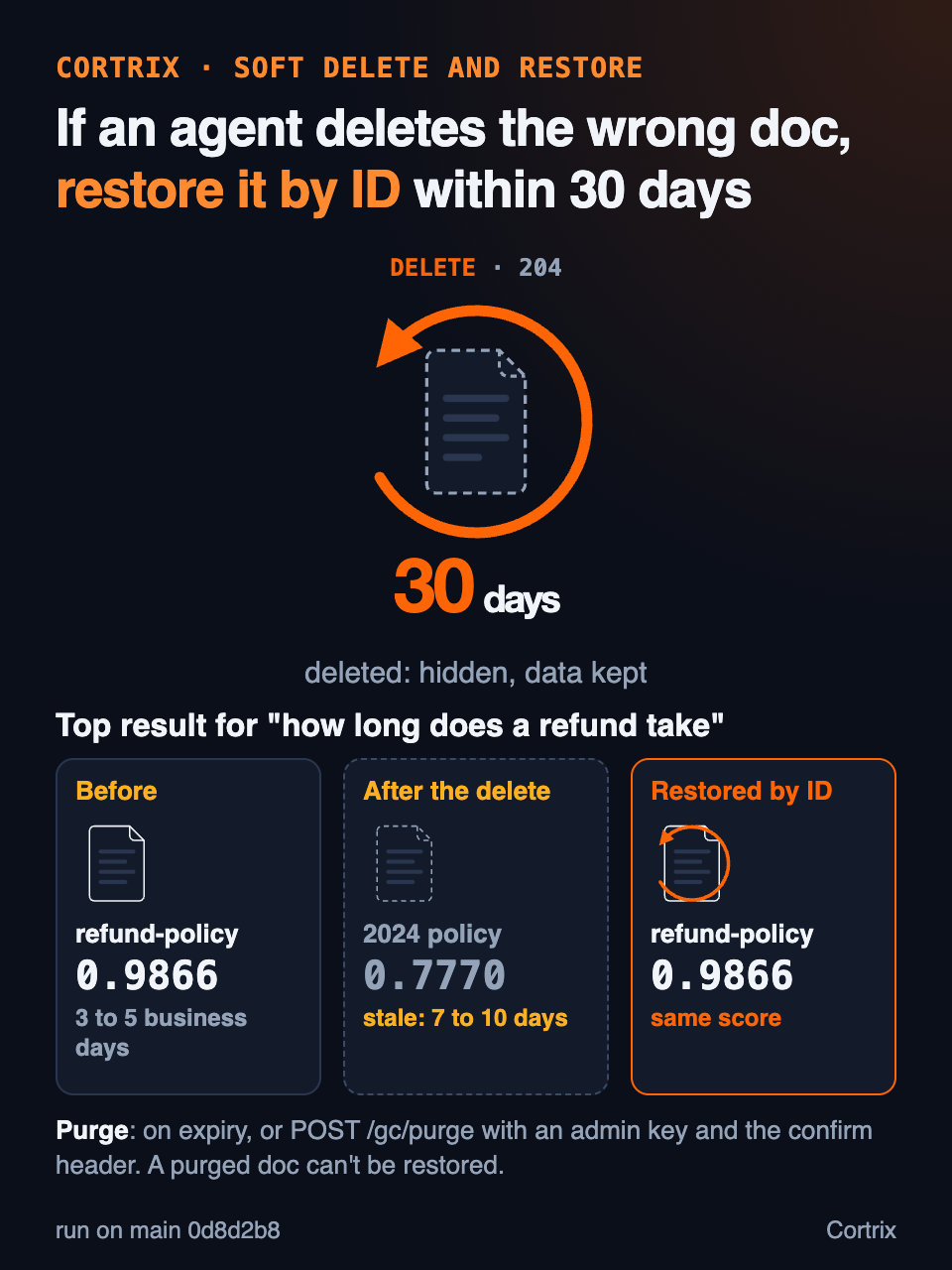
Figure 1 | Deleting a document through the API is a soft delete, restorable by ID for 30 days. A purge, which can’t be undone, takes an explicit confirmation.
To purge soft-deleted documents so they can’t be restored, there are two endpoints. POST /api/v1/gc/run cleans up documents that are past the retention period. POST /api/v1/gc/purge doesn’t wait for the retention period and removes every soft-deleted document right away. Both require admin permission, and both must carry the request header X-Ops-Confirm: true. Say you’re sure you don’t need the 2024 version anymore. Delete it, then purge:
DELETE /documents/01M6J976H5RJRFXAJCQW3V53VT (refund-policy-2024.md) -> 204
POST /gc/purge without X-Ops-Confirm -> 400 CX_ERR_OPS_CONFIRM_REQUIRED
POST /gc/purge with X-Ops-Confirm: true -> 202
restore 01M6J976H5RJRFXAJCQW3V53VT:
  failed     01M6J976H5RJRFXAJCQW3V53VT  CX_ERR_GC_DOC_NOT_FOUND  retryable=false
             no deleted document with this id
  coverage_ratio=0.0
A purge without the confirmation header is rejected outright. With it, the old version is purged, and trying to restore it only gets you CX_ERR_GC_DOC_NOT_FOUND.
There’s one more kind of delete that an agent often doesn’t notice. You upload a changed file with the same name through the upload endpoint, POST /api/v1/namespaces/{ns}/documents. Cortrix treats it as a new version, and the upload response tells the caller which ID it replaced in superseded_doc_id. The moment the new version finishes processing, the old version is soft-deleted. If you then try to restore the old version, Cortrix won’t let two versions be live at once. Instead, it spells out the next step in message:
upload refund-policy.md again: doc_id=01M6J97GKED58ZS15BANHEGVMT superseded_doc_id=01M6J97G0Q56CJKB2HNR03DXKK
restore the first version 01M6J97G0Q56CJKB2HNR03DXKK:
  CX_ERR_GC_RESTORE_SUPERSEDED
  another version is live: delete 01M6J97GKED58ZS15BANHEGVMT in namespace new-version-1793762508, then restore 01M6J97G0Q56CJKB2HNR03DXKK
DELETE /documents/01M6J97GKED58ZS15BANHEGVMT -> 204
restore 01M6J97G0Q56CJKB2HNR03DXKK again: succeeded=['01M6J97G0Q56CJKB2HNR03DXKK'] coverage_ratio=1.0
The agent can just follow that: delete the new version, then restore the old one. Nobody has to step in and explain. The new version’s ID and its namespace are also in the returned structured_data, so the agent doesn’t have to parse the sentence.
Recovering a deleted document in a vector database: backups in Pinecone, snapshots in Qdrant, versions in LanceDB
In Cortrix, each deleted document has its own retention clock, and restore works per document, so other writes in the same namespace aren’t touched. That makes recovery finer-grained and more flexible. Some products in the industry restore at the level of an index, a collection, or a whole table.
A Pinecone backup is a copy of a whole serverless index, and you restore it by creating a new index from the backup.
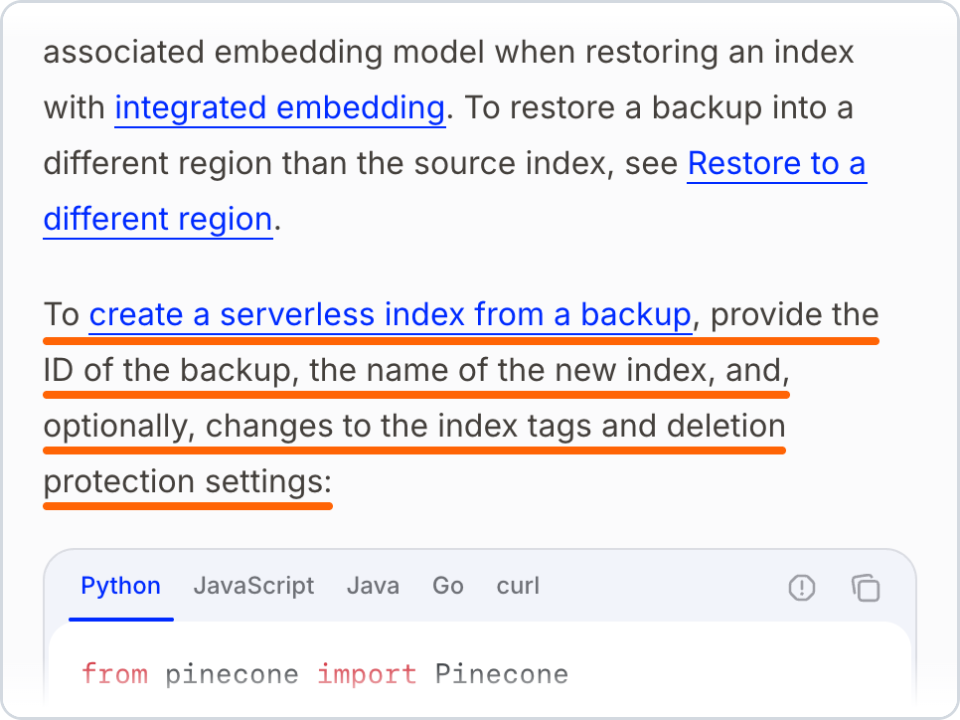
Figure 2 | How the Pinecone docs restore an index from a backup, captured 2026-11-03. See references [1] and [7]
When Qdrant recovers a collection from a snapshot, it overwrites the data that collection currently has on the node.
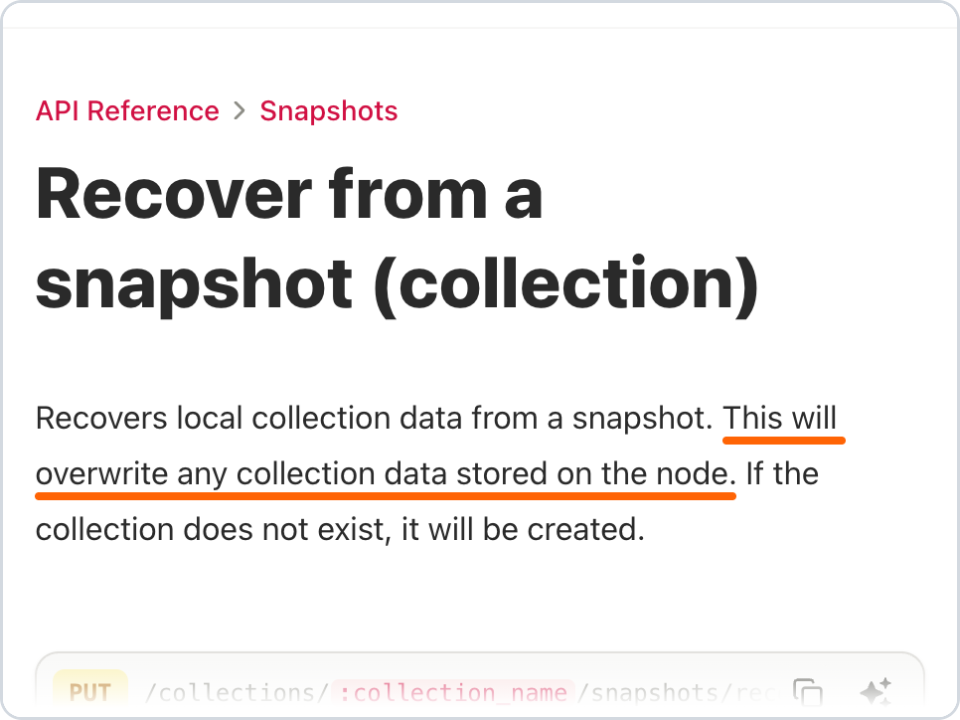
Figure 3 | How the Qdrant API reference describes recovering a collection from a snapshot, captured 2026-11-03. See reference [2]
LanceDB uses versions. A table has versions, and a delete creates a new one. You can open the version from before the delete, or roll the whole table back to it. Old versions are cleaned up when you run optimize(), according to the retention settings, and the default is to keep them for 7 days.
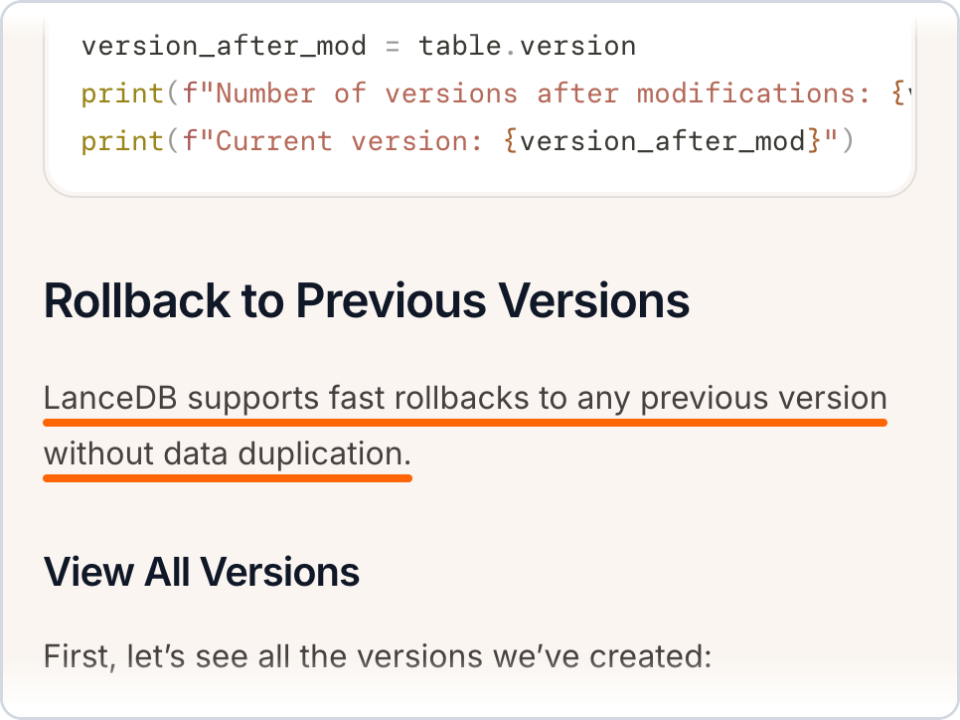
Figure 4 | How the LanceDB docs describe rolling back to a previous version, captured 2026-11-03. See reference [3]
Before you give an agent delete rights: log IDs, split permissions, be careful with purge
- Before a delete, write the document ID and file name into the agent’s own action log. Restore works by ID, and once a document is deleted you can’t see it in the listing.
- Restore needs admin permission. With authentication on, give the agent a key with read and write permission only: add an entry under
auth.api_keysin the config file withpermissions: 3. That key can delete, but calling restore with it gets a 403 andADMIN permission required. Better yet, split the roles: the agent can delete, and only a person or a job holding an admin key restores what was deleted by mistake. - A purge applies to the whole server.
/gc/purgeclears soft-deleted documents in every namespace, not just the one you deleted from a moment ago. Don’t call it while any document is still waiting to be restored. - Documents imported from a watched directory follow their source files. If a file is removed from the watched directory, the matching document is deleted outright and never enters the 30-day window. To get it back, restore the file in the source directory.
- If a document hadn’t finished processing when it was deleted, restore returns
CX_ERR_GC_RESTORE_INCOMPLETE. Follow the message and submit the original file again.
Frequently asked questions
Can I restore a deleted document in Cortrix?
Yes. Deleting a document through the API is a soft delete, and the default retention is 30 days. During that time, pass the document ID to POST /api/v1/gc/restore and the document comes back, with its chunks and vectors still in place, so nothing needs to be ingested again.
Do deleted documents still show up in search results?
No. After a soft delete, queries, document listings, and reads by ID can’t see the document until it’s restored.
How do I purge a document so it can’t be restored?
Delete it first, then call POST /api/v1/gc/purge with the request header X-Ops-Confirm: true. A purge can’t be undone, it applies to every soft-deleted document on the whole server, and it needs admin permission. You can also wait for the retention period to pass, and the daily background cleanup will purge it.
How is this different from backups and snapshots in a vector database?
Backups and snapshots work on a whole index, collection, or table. Restoring one rolls back the other writes made after the restore point, or means creating a new index. Cortrix restores by document, so only the wrongly deleted one comes back.
Series navigation
- Part 1: HTTP 200 Doesn’t Mean You Got Everything. When a query only covers part of the data, the storage has to say what’s missing.
- Part 2: kill -9 Halfway Through a Write, and the Data Lines Up Again After Restart. If a crash interrupts a write, the storage cleans up the half-written data on its own.
- Part 3 is this post: an agent deleted a document, and you can get it back by ID within 30 days.
Both experiments in this post are in the Cortrix repo, at examples/delete-restore. Build and start Cortrix from main by following the instructions in that directory, and you can run them yourself:
python examples/delete-restore/delete_restore.py
python examples/delete-restore/new_version.py
Add --purge to delete_restore.py to run the purge step too. A purge removes every soft-deleted document on the server, so only do that on a server where nothing else is waiting to be restored.
The output in this post comes from that example. If it saves you from building your own soft delete and recycle bin, we’d love it if you gave Cortrix a star on GitHub.
References
- [1] Pinecone Docs, Restore an index: https://docs.pinecone.io/guides/manage-data/restore-an-index
- [2] Qdrant API Reference, Recover from a snapshot: https://api.qdrant.tech/api-reference/snapshots/recover-from-snapshot
- [3] LanceDB Docs, Versioning: https://docs.lancedb.com/tables/versioning
- [4] Cortrix on GitHub: https://github.com/cortrix/cortrix
- [5] Cortrix API spec, document delete and restore: https://github.com/cortrix/cortrix/blob/main/api/paths/ops.yaml
- [6] Code for the experiments in this post, examples/delete-restore: https://github.com/cortrix/cortrix/tree/main/examples/delete-restore
- [7] Pinecone Docs, Backups overview: https://docs.pinecone.io/guides/manage-data/backups-overview
The commands and output in this post come from a build of Cortrix main at commit 0d8d2b8, CPU only, with no LLM configured.